
Skip to content
All integrations

Field service

Live today

The call becomes a Jobber job before the office opens.

Most Ontario 1–10 tech shops already live in Jobber. What they are missing is someone on the line during the hour the office is empty and the public number still rings. Right On Call answers that line. Connect Jobber from the dashboard and the call is waiting on the board you already run.

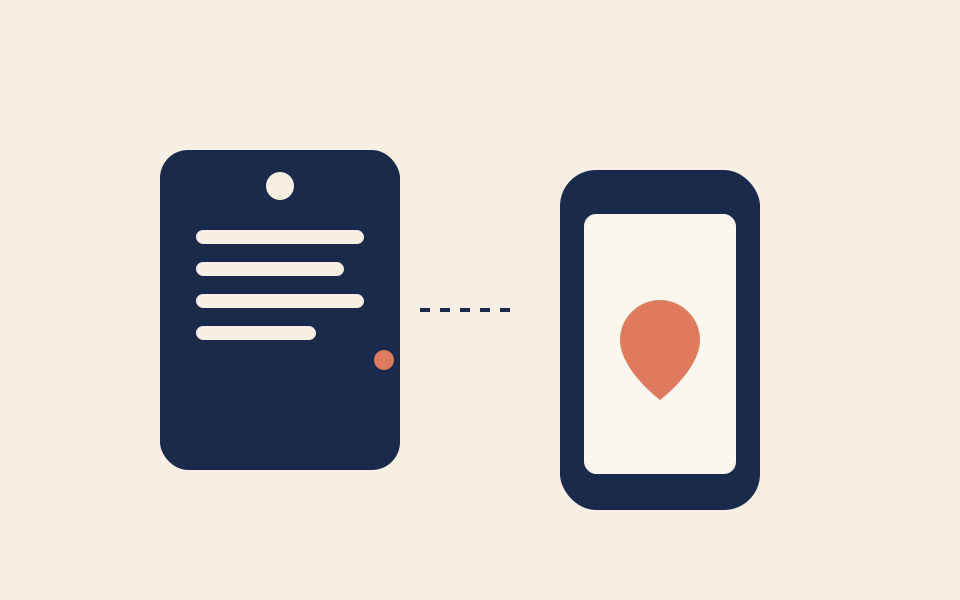
A job ticket connected by a dashed line to a phone, the call becoming a job

How the connection actually works

What gets sent

The caller’s name, callback number, and email if they gave one, for the client. For the job: a title made of the appliance or system and the caller’s name, and instructions holding the call summary, each item with its brand and the issue described, the priority, and the Right On Call call id.

What gets created

A Jobber client, found by the caller’s phone (or email, or name) and created if there is no match, and a Jobber job on that client. It happens once the call has ended, in the background, for any call that captured a name and a number, booked or not. A hang-up with no details writes nothing.

What stays yours

Roster, job costing, invoicing, and which tech gets the truck stay in Jobber. We don’t sync your board the other way, assign a crew, or set a visit time. Disconnecting on our dashboard also disconnects the app inside Jobber.

Daytime and after hours

During the day

If you answer the call yourself, Right On Call never hears it and nothing is written. If you miss it and the receptionist answers, the job lands in Jobber right after the call ends, while you are still on site.

After hours

The write is the same at any hour. The receptionist books the call or takes the details overnight, and the client and job are waiting in Jobber when the office opens.

What setup looks like

The shop connects its own Jobber account. It takes a few minutes and no code.

  1. Open Integrations in the dashboard

    Sign in to the Right On Call dashboard as the shop and open Integrations.

  2. Choose Connect on Jobber

    Sign in to Jobber when prompted and approve access for Right On Call.

  3. Check the card says Connected

    You come back to the dashboard. The next finished call can write the client and the job. There is no restart and no extra step.

  4. Make a test call

    Call the line, give a name and a problem, then look for the client and job in Jobber.

Limits and edge cases

  • The Jobber job carries the summary, items, brand, issue, and priority. It does not carry a Jobber property or a scheduled visit, so the service address and the booked window live on the call record and in the booking text, not on a Jobber visit.
  • A model number the caller gave is on the call record, not in the Jobber job notes.
  • The client lookup takes the first match. A caller who isn’t found is created as a new client.
  • If Jobber is unreachable or the connection has expired, nothing is written. The failure is logged and the call stays complete in your dashboard. A booked job still texts your on-call number; that text does not depend on Jobber.

This is for

  • Ontario appliance, HVAC, plumbing, and electrical shops on Jobber with 1–10 techs.
  • Owners who want the after-hours call to land as a client and job, not a text they read at 7 AM.
  • Shops that need postal-code coverage, English and French, and a human handoff, not a US ZIP template.

This isn't

  • Teams standardized on ServiceTitan at PE scale. That is a different adapter, also on request, and not this page.
  • Shops that only need the calendar. Cal.com plus Google Calendar is live today and is enough.

What we won't claim

  • Replace Jobber AI Receptionist if you already pay for Plus and only need a generic after-hours pickup.
  • Write bidirectional campaign or membership data the way an outbound platform would.
  • Quote a repair price or diagnose a fault inside Jobber notes.
  • Assign a technician. Dispatch stays on your board.
  • Ship as a public App Marketplace toggle you flip yourself.

Jobber questions

Is this Jobber’s own AI receptionist?

No. Jobber ships a native receptionist on Grow and Plus. Right On Call is a separate, done-for-you voice build for shops that want a bespoke Ontario script, postal-code checks, and a write into Jobber, or that aren’t on the plan that includes Jobber’s bot.

Does the job appear while the caller is still on the line?

No. The client and job are created right after the call ends, from the same details the agent captured. If Jobber is down, the call is still in your dashboard, and a booked job still texts your on-call number.

Is Right On Call listed in the Jobber App Marketplace?

No. You connect from our dashboard. A Marketplace listing needs Jobber’s approval, and we have not been approved for one.

What does it cost?

Jobber connect is in the published plan. Housecall Pro, ServiceTitan, and other field-service adapters are still scoped as setup work. It isn’t a hidden line item after you are live.

Related integrations

All integrationsHow it worksKeep your numberSecurityPricing